One system to run the whole company
Delivery, people and money over one set of records — built for Indian IT services companies.
From ₹99 per user per month · clients, vendors and candidates are free
- 16modules, one permission model
- 26roles you can retune per module
- ₹0for clients, vendors and candidates
Sixteen modules, one set of records
grouped by what they do, not by which team bought them
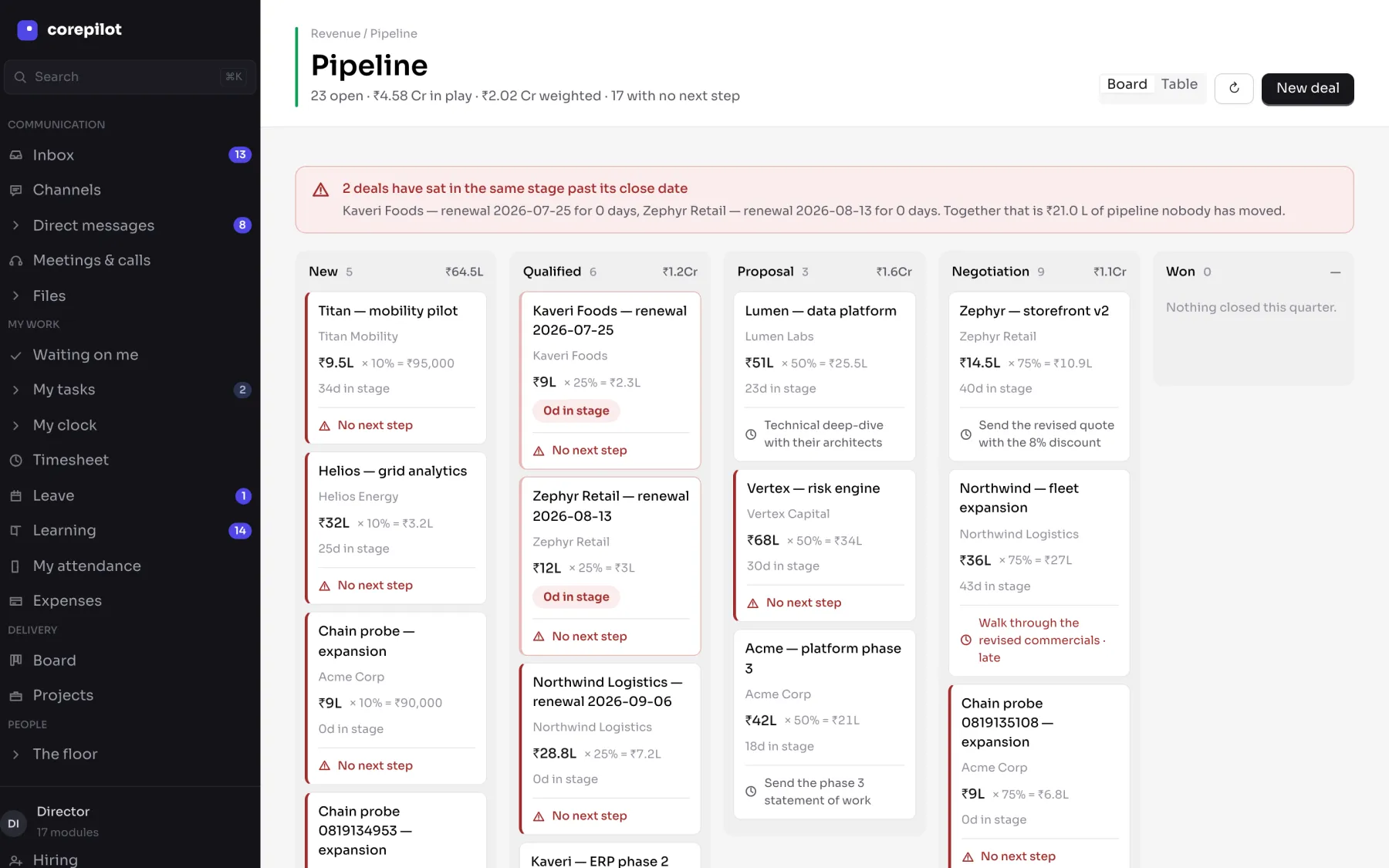
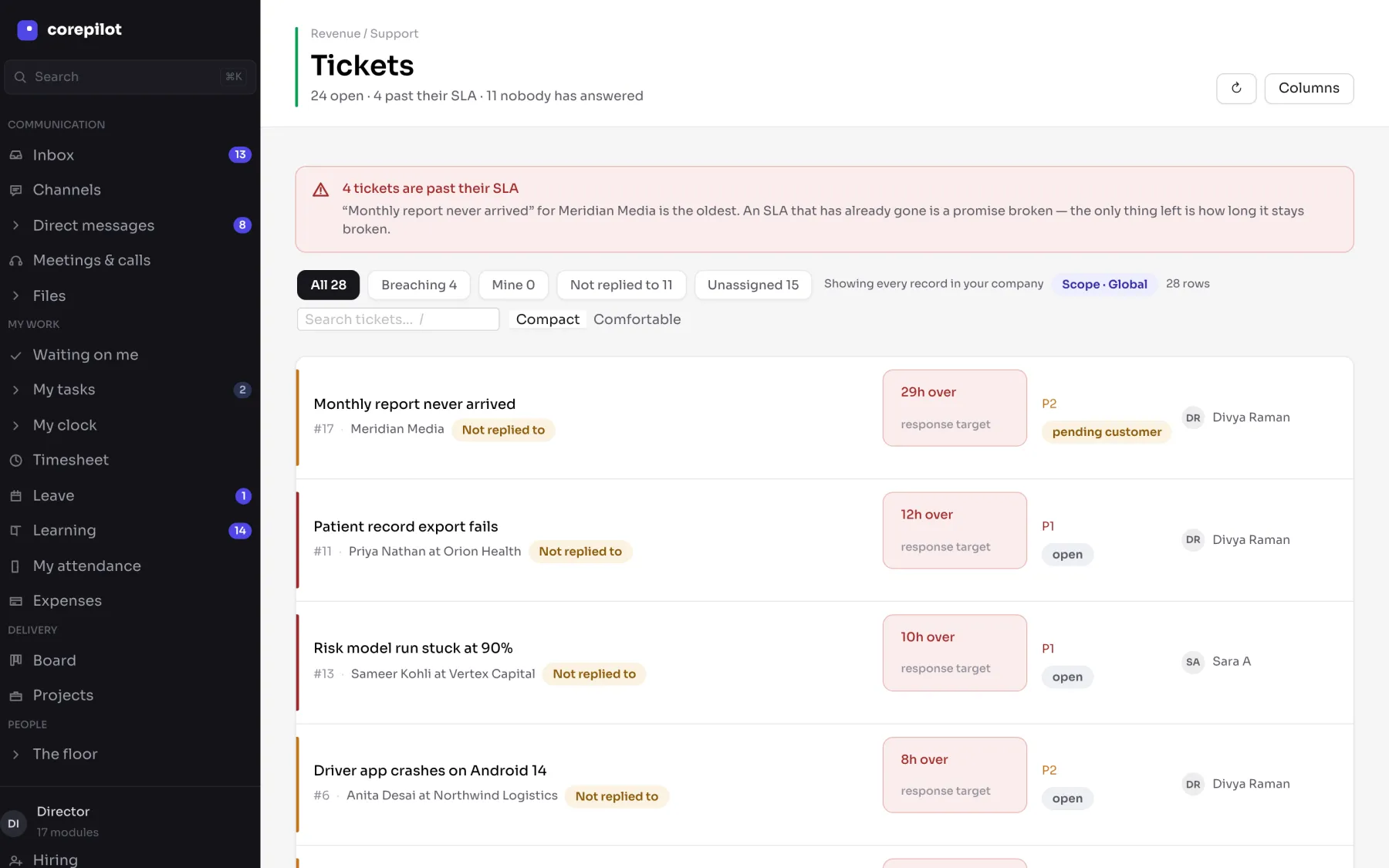
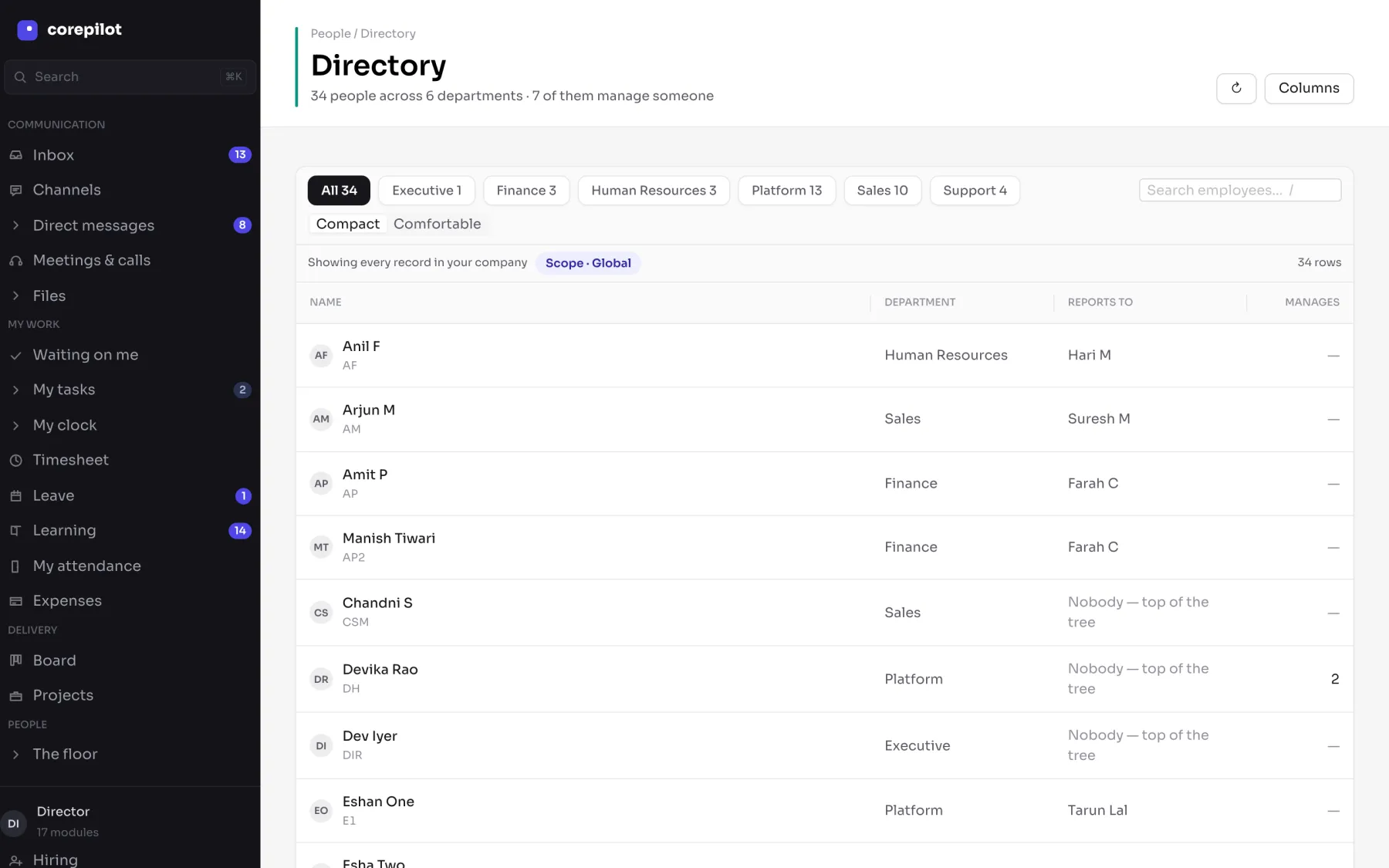
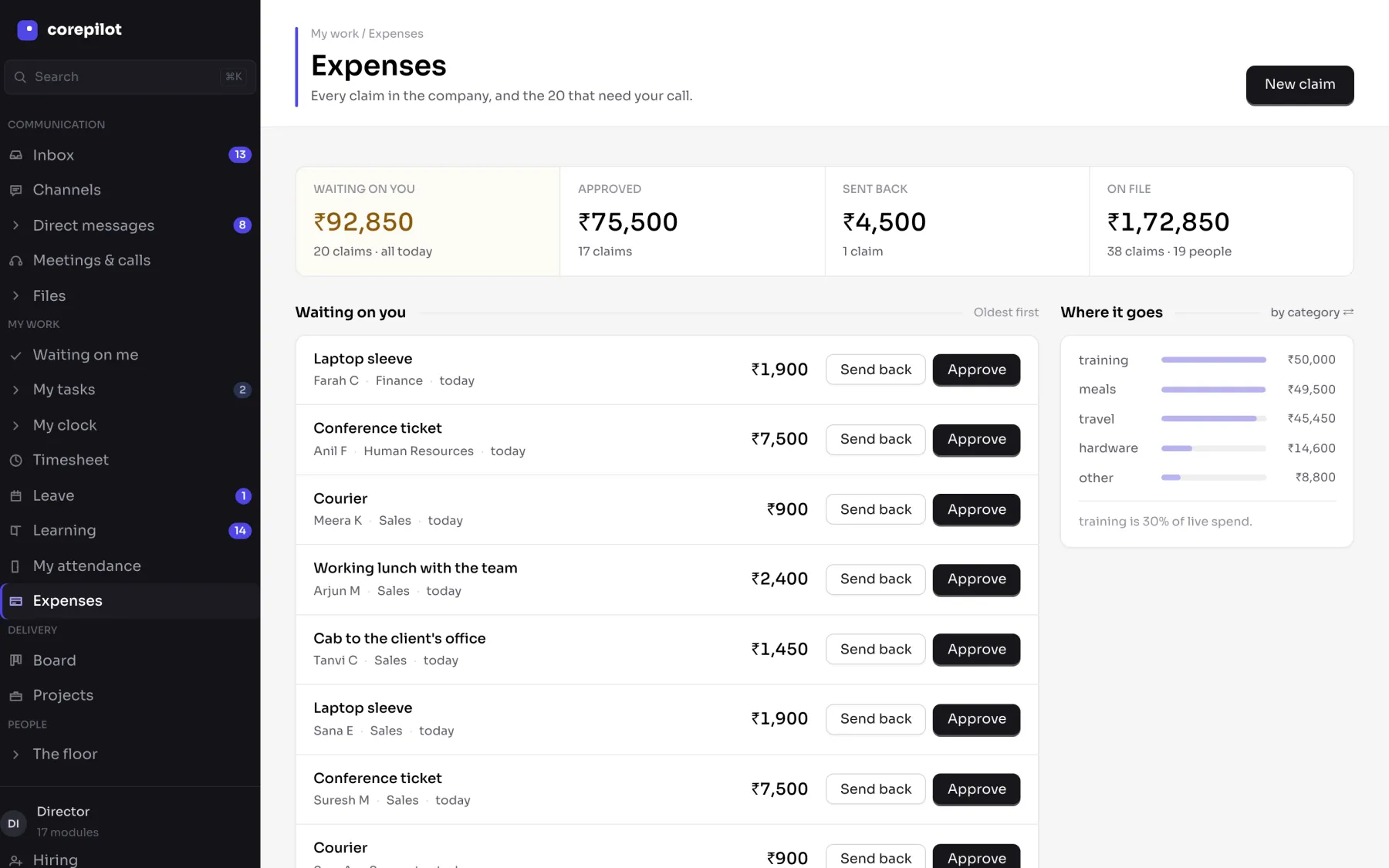
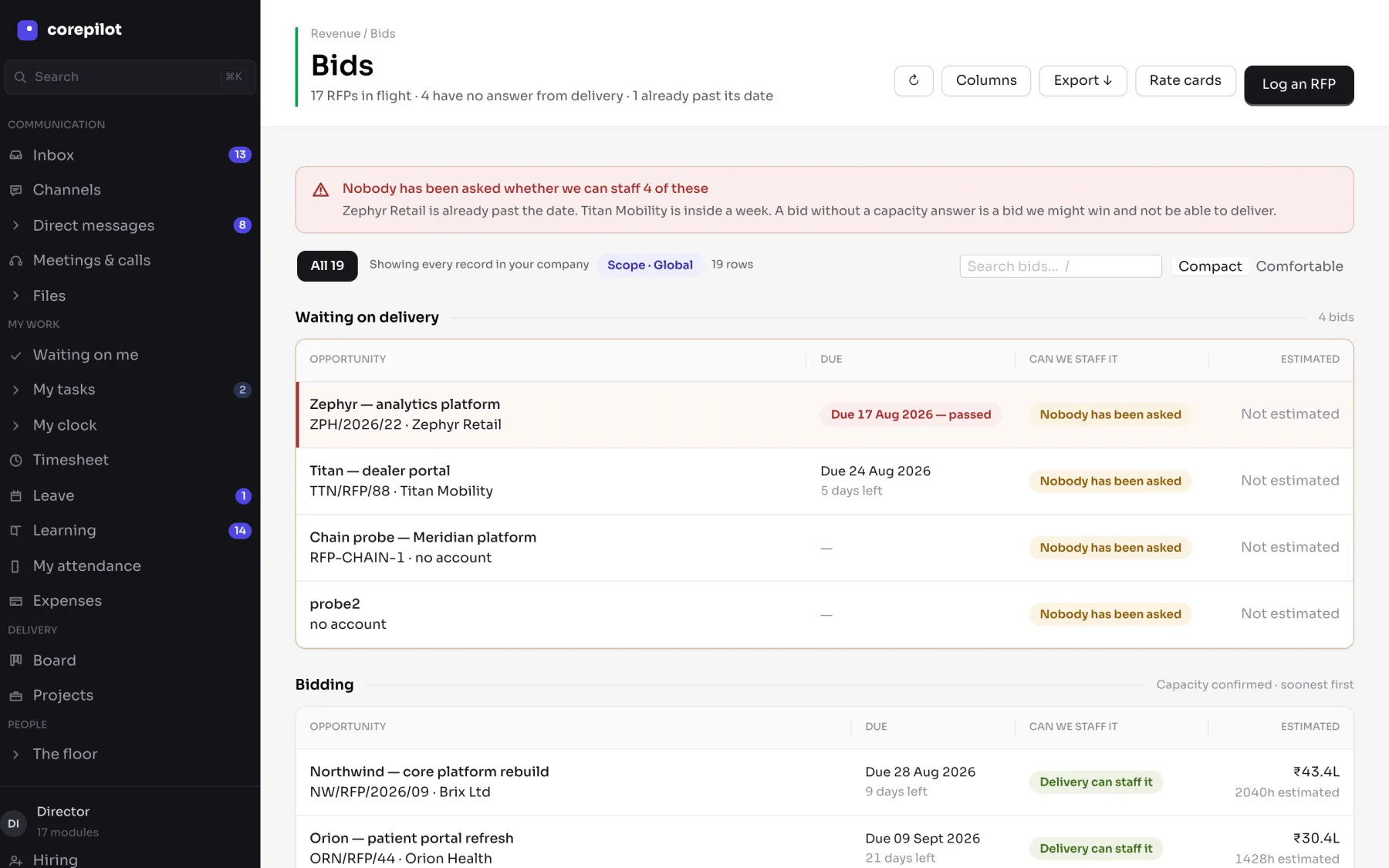
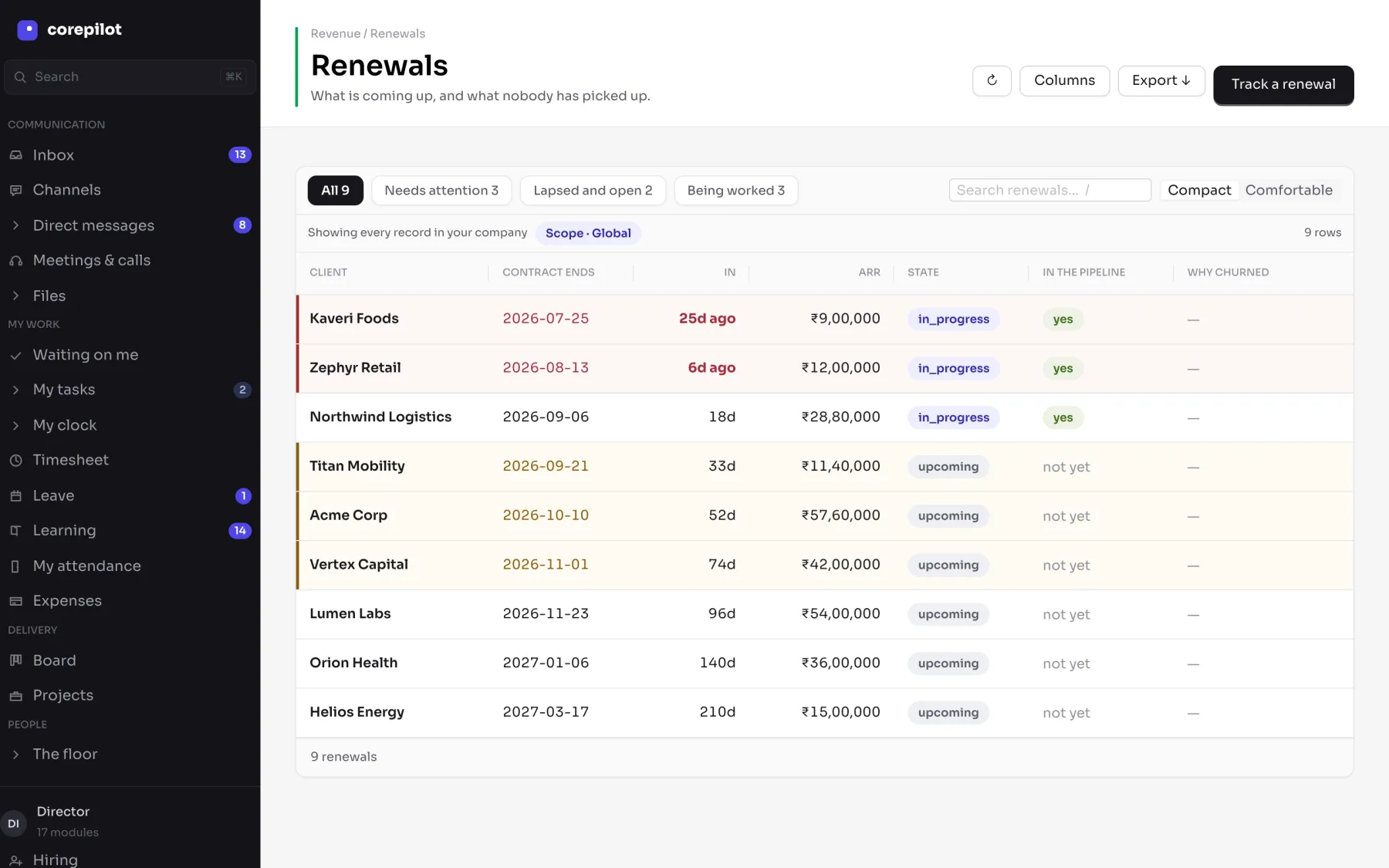
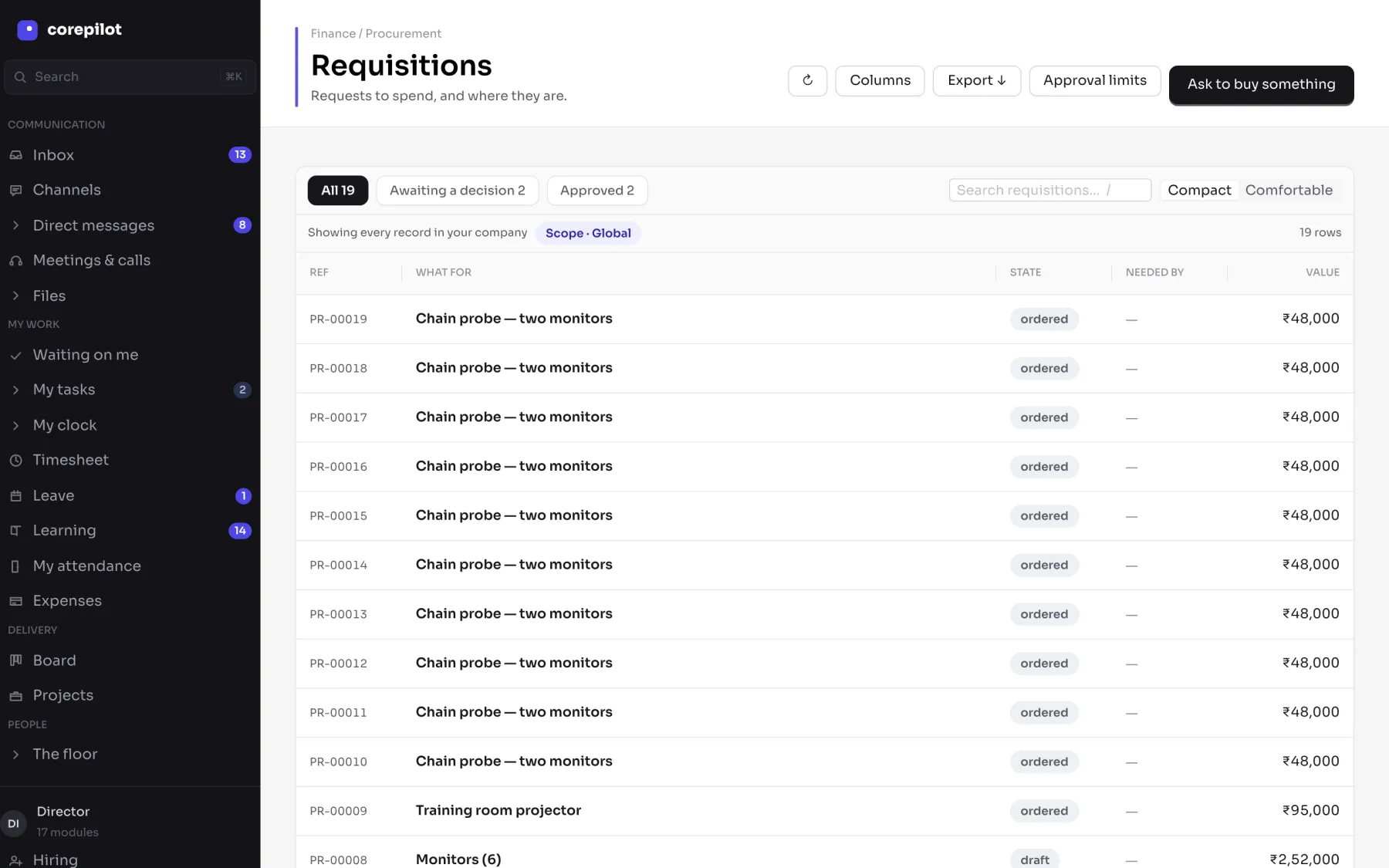
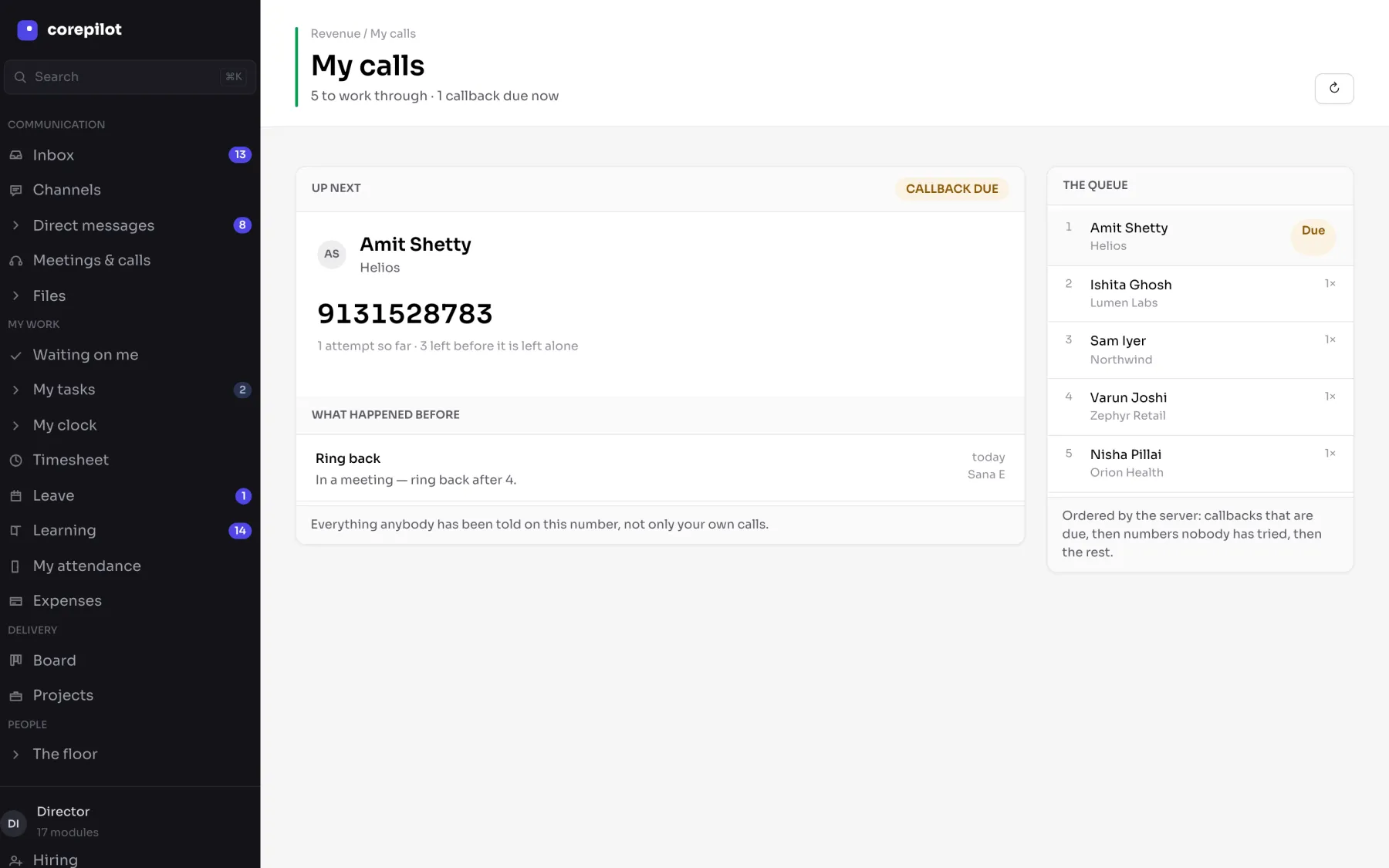
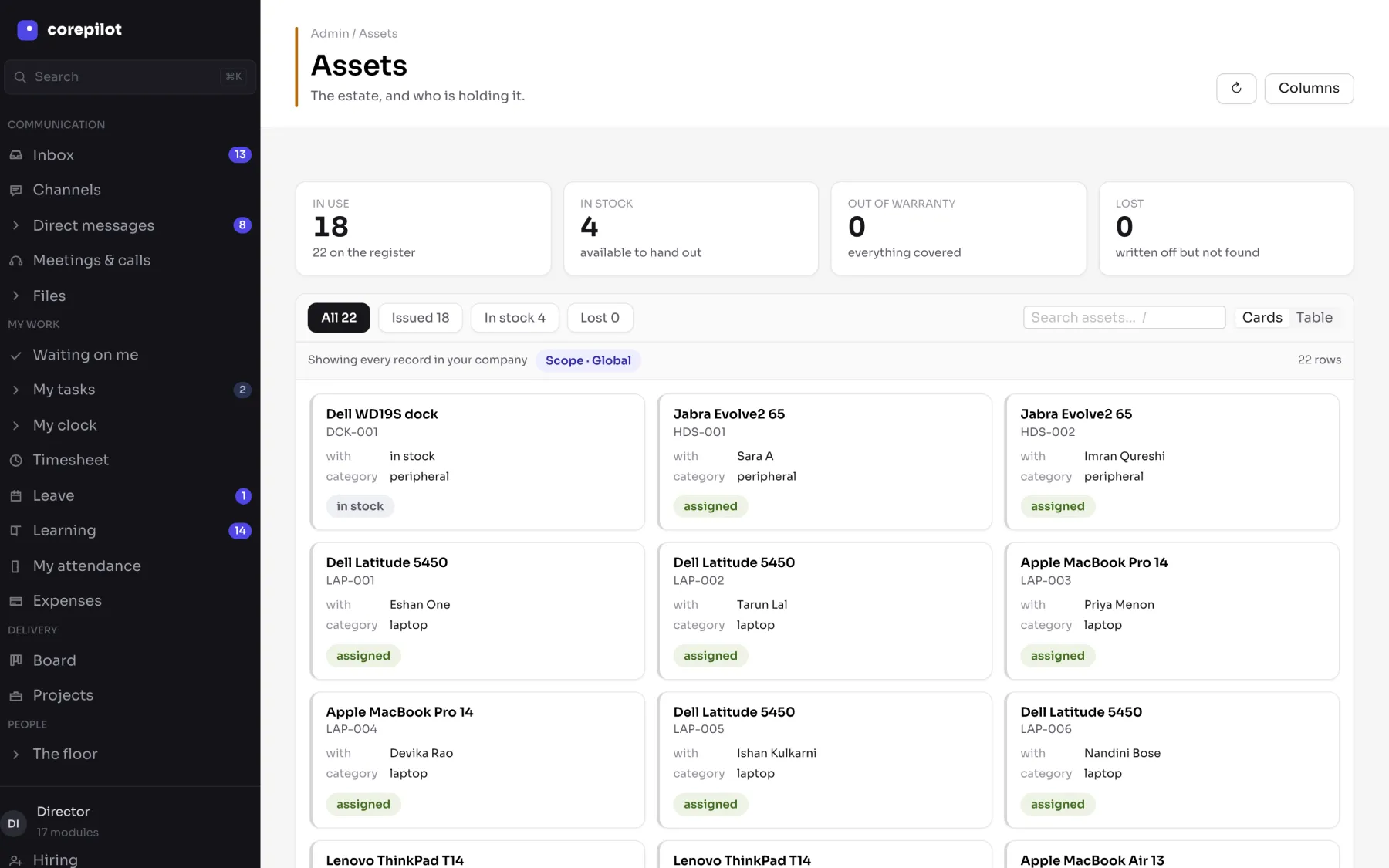
Twelve tools out. One in.
Each one was a sensible purchase. Together they mean the same person is entered four times, the same hour is counted twice, and the number you act on is a month old.
- Excelspreadsheets
- Tallyaccounting
- An HRMSpeople records
- A CRMpipeline
- Jiratask boards
- A helpdesktickets
- Recruitmenthiring
- Emailapprovals
- WhatsAppdecisions
- A BI toolreporting
- A file sharedocuments
- A meeting toolcalls
Corepilott
sixteen modules · one set of records
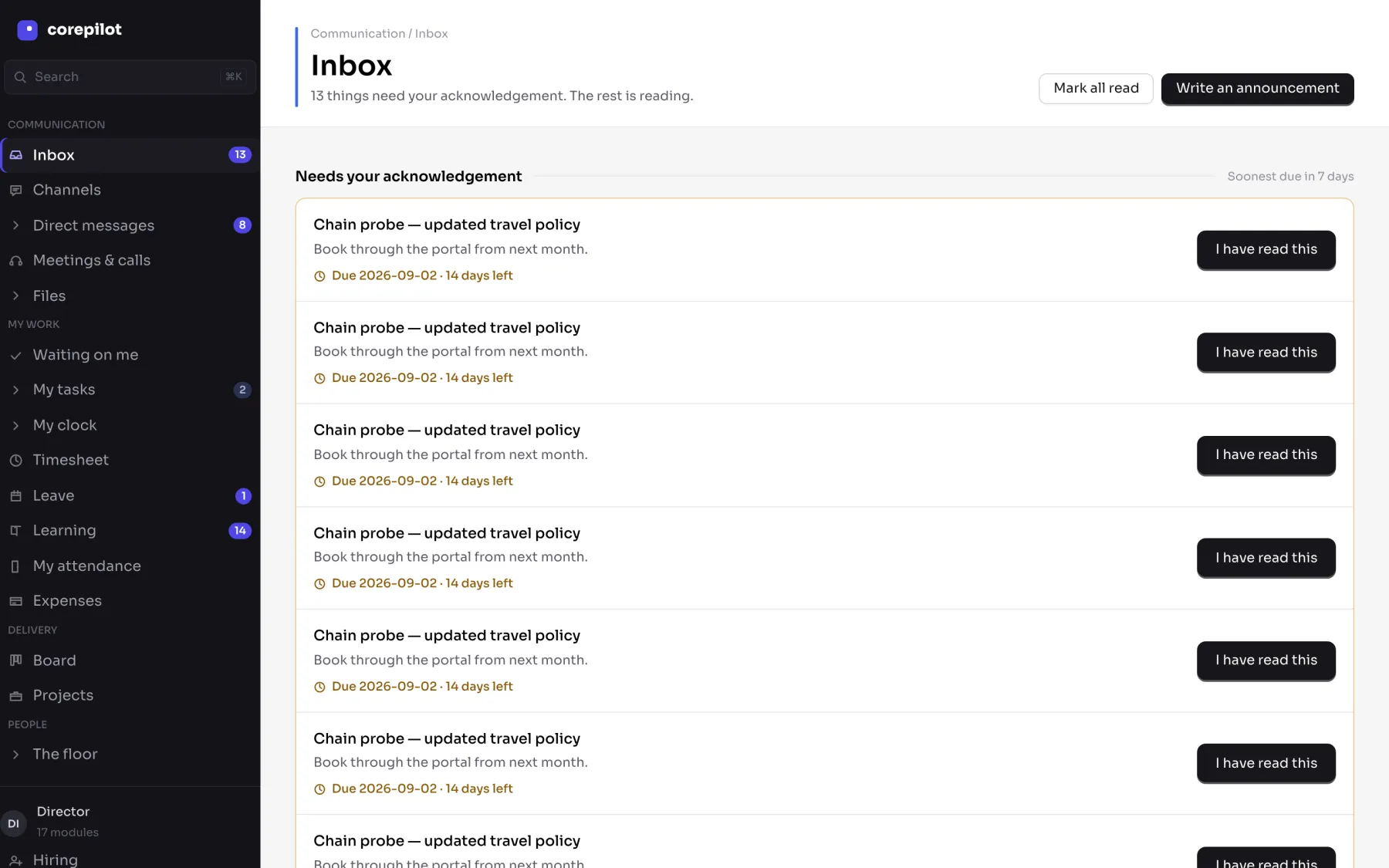
One login, one org chart, one audit trail — and one inbox that knows what is waiting on you across all sixteen.
What that costs you, by department
Pick the part of the company you run.
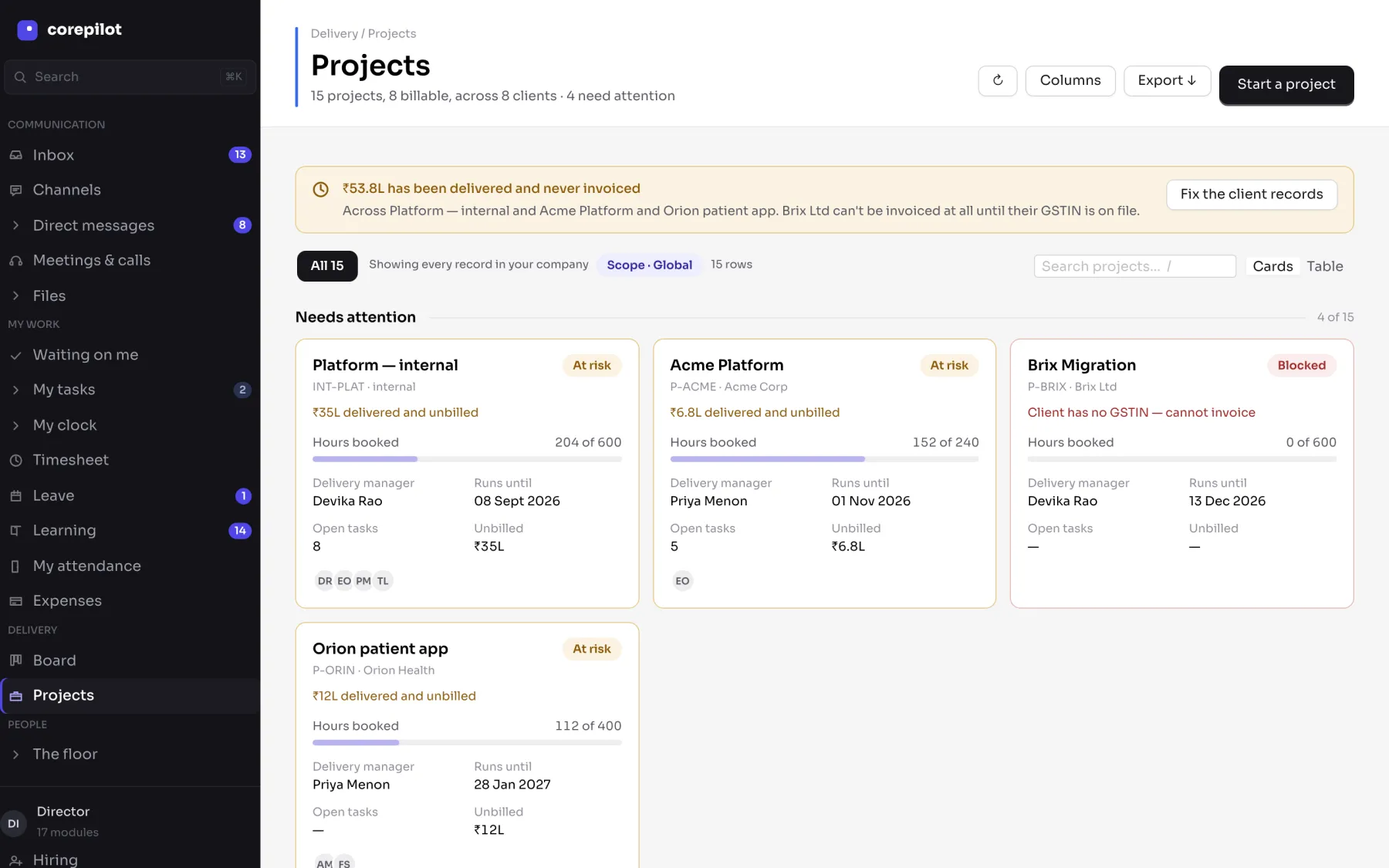
Work gets delivered and never invoiced
Delivered-and-unbilled is a number on the projects screen, with the reason beside it — not a discovery finance makes a quarter later.
Nobody knows a project is in trouble until it is late
Hours booked against budget on every card, with at-risk and blocked stated plainly and the blocker named.
Utilisation is a monthly guess
Billable against logged, per person, over the last thirty days — off the same rows payroll reads.
Support arrives by email, WhatsApp and phone
Clients raise tickets in their own portal, against their own account, at no cost to you.
One hour, entered once. Then read by five screens that never re-type it.
In twelve tools every handoff below is a spreadsheet, an export, or somebody remembering to tell somebody.
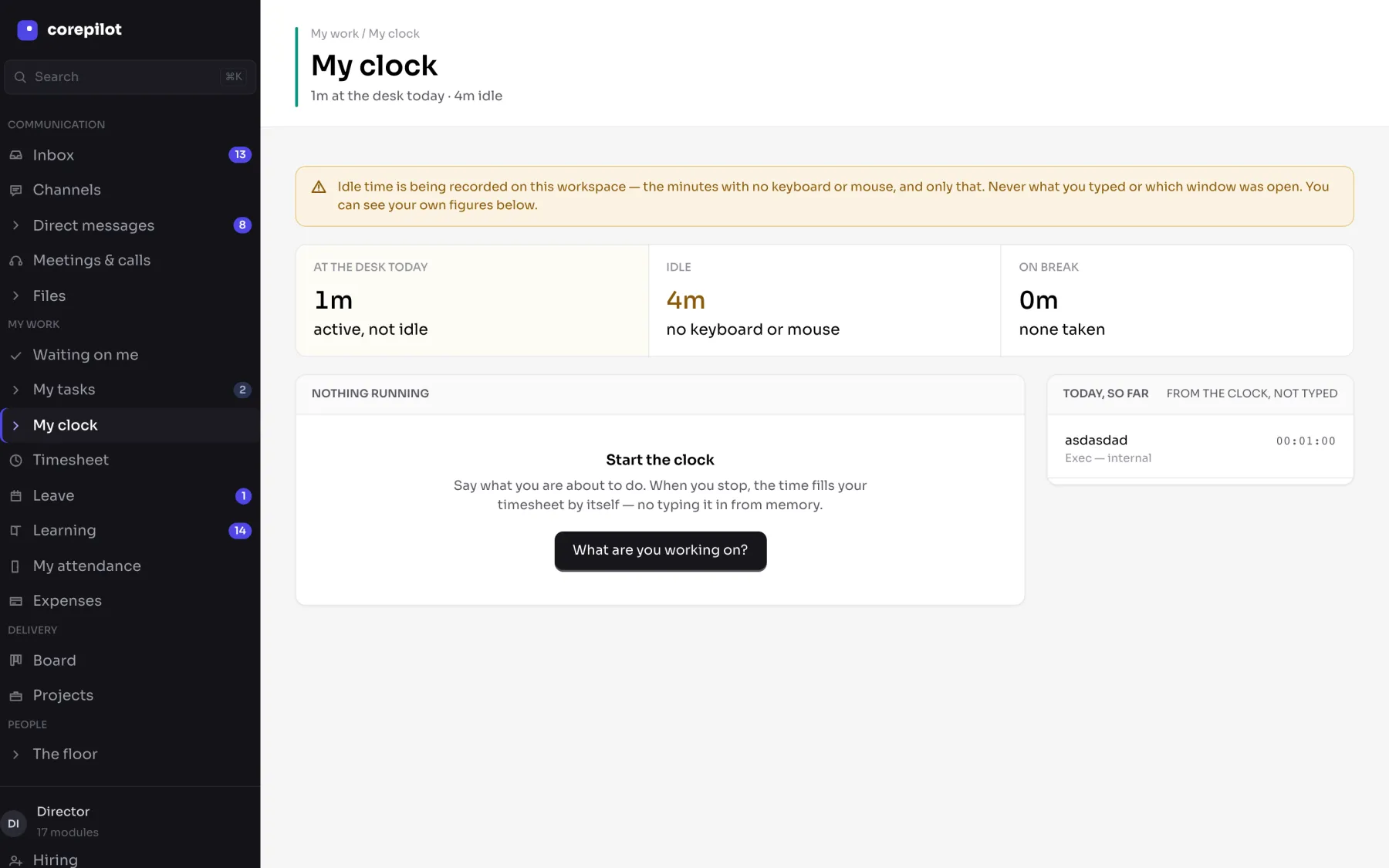
09:14
Devika starts her clock
My clock
running
she says what she is about to do
17:02
She stops
Timesheet
7.5 h
written by the clock, not from memory
Fri
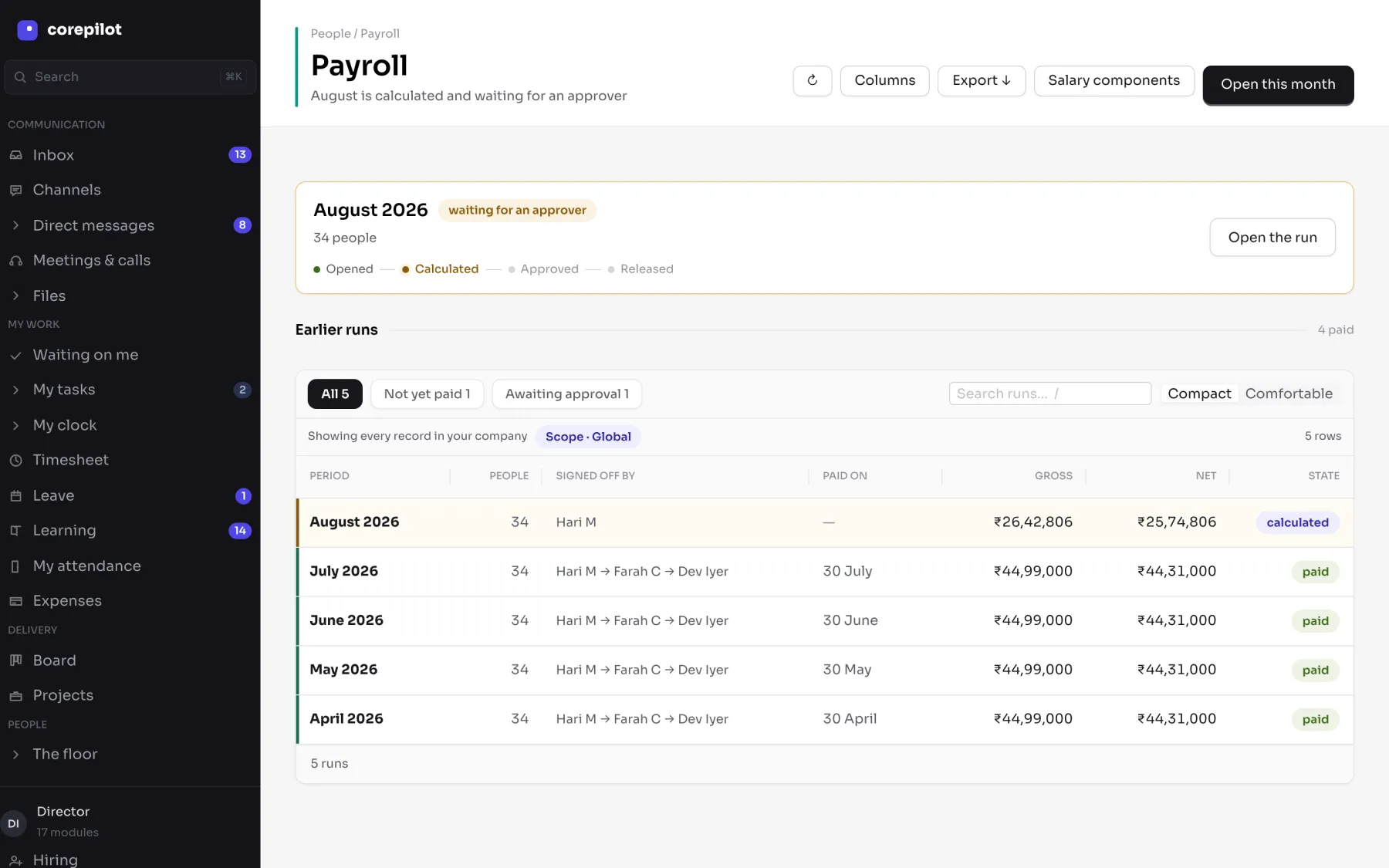
Her manager approves the week
P-ACME
7.5 h
hours become billable, not just logged
01 Sep
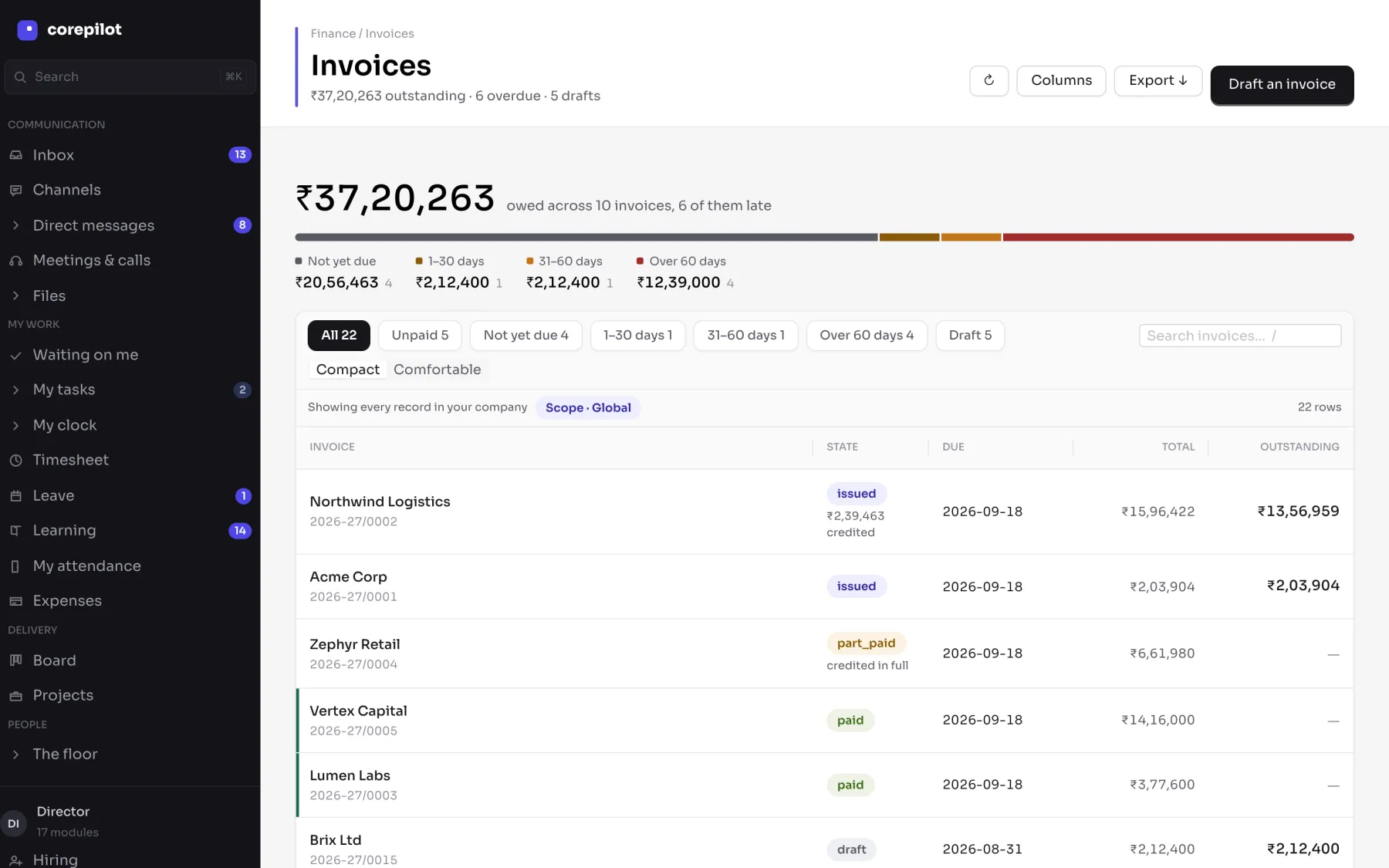
Finance drafts the invoice
2026-27/0002
7.5 h
assembled from approved work
01 Sep
It posts to the books
Ledger
balanced
double entry, same rows
Any time
The founder reads one number
Utilisation
59%
off those rows, under their own scope
The same software, five different jobs. Pick the one closest to yours.
What each person can open — and what they cannot — is decided underneath, by the database itself, so nobody sees a salary or another department's numbers by accident.
Lands on Projects, and the board
They can see their team, and everyone under them.
What opens
- Every project their department runs, with hours booked against budget
- Utilisation for their own people, over the last thirty days
- Which projects are at risk, and which are blocked and why
A salary, or another department's projects
They see their own payslip and nobody else's. And the project list is filtered to their own department before it reaches them — the rest is not hidden on screen, it never arrives.
There is a demo company you can sign into and click around. No sign-up.
Sixteen modules. One set of records under all of them.
People
Who works here, when they worked, and what they were paid.
- One employee record that attendance, payroll, projects and reports all read — entered once, never re-keyed
- A reporting line the software enforces, not a slide: it decides whose leave you may approve and whose salary you may not see
- Statutory Indian payroll with the approval chain stored on the run, and the four leave types seeded on day one
Money
What comes in, what goes out, and the ledger under both.
- GST invoices assembled from work that was actually delivered — approved hours, milestones and billable expenses
- Financial-year numbering, ageing buckets and a double-entry ledger that balances, all reading the same postings
- Buying and selling kept apart: opposite directions of money, opposite lists of people, separate permissions
Delivery
The work itself, and everything that supports it.
- Hours booked against budget on every project, with at-risk and blocked stated plainly and the blocker named
- Delivered-and-unbilled in rupees while the work is still running, not a quarter later from finance
- Clients raise their own tickets in a portal that costs you nothing and reaches only their own account
Growth
Winning the work, and keeping the account.
- One client record that sales, delivery, support, finance and renewals all point at — including the GSTIN finance needs
- Estimates superseded rather than overwritten, so the numbers a client was given stay explainable
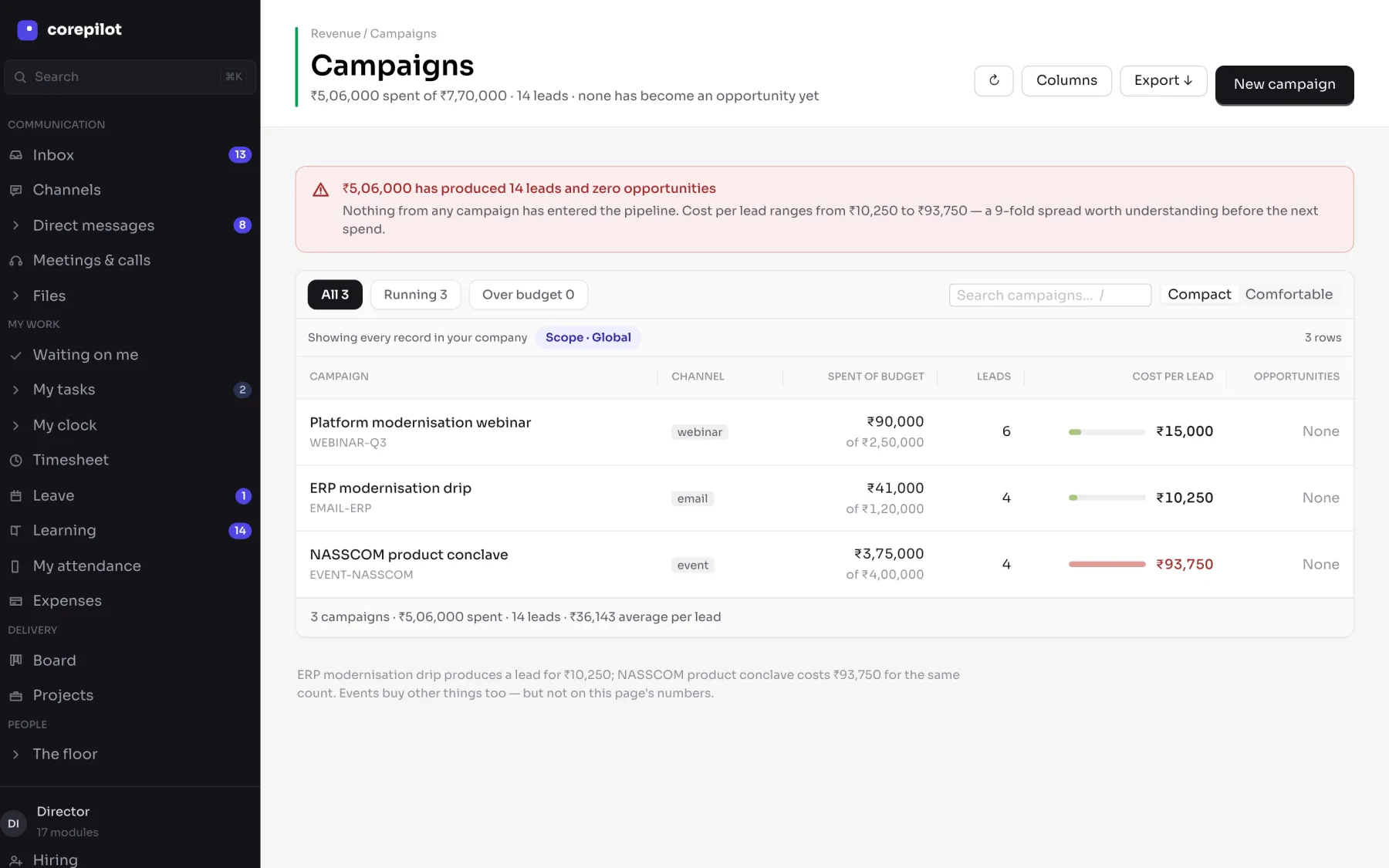
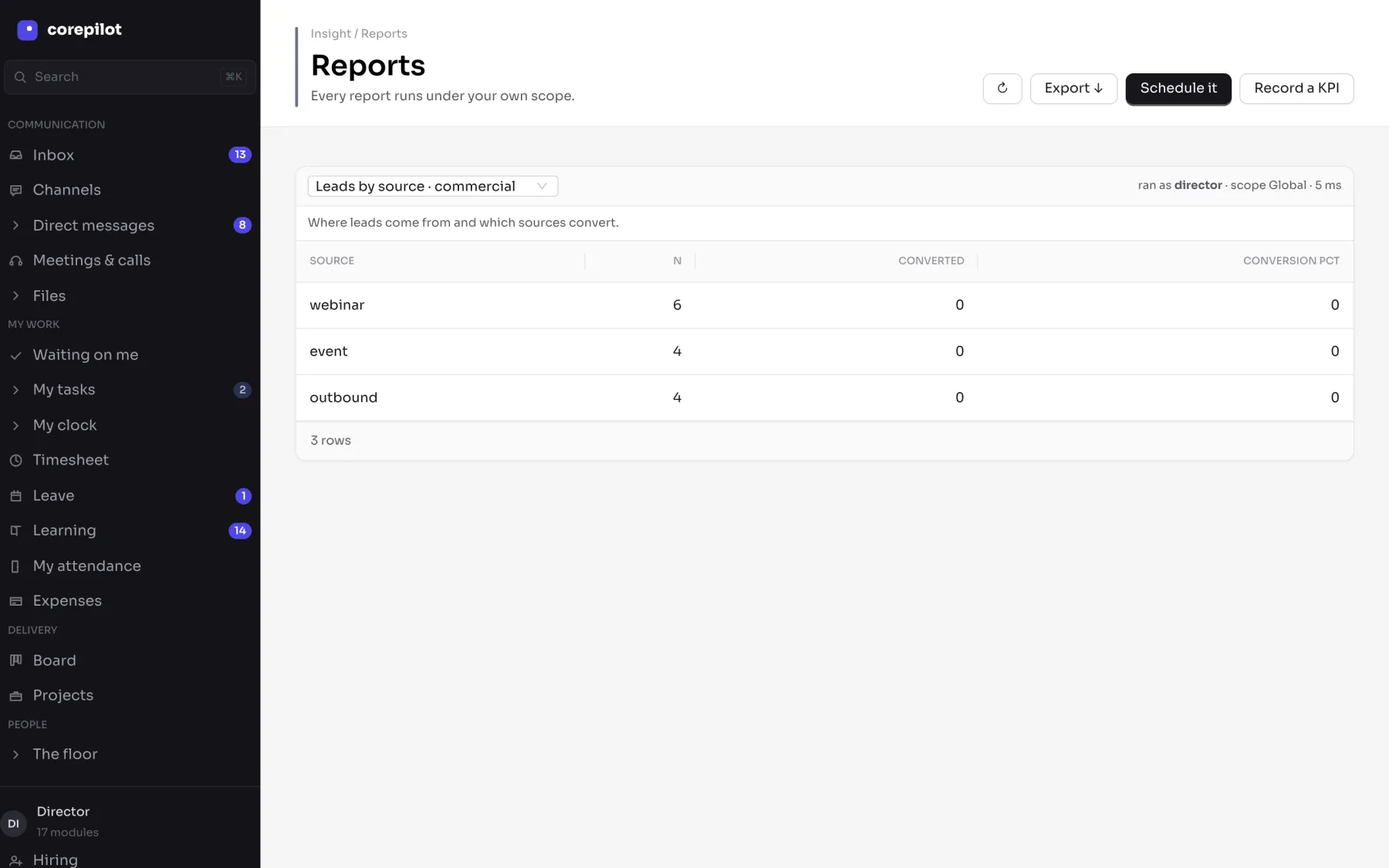
- Leads carry their source into the same pipeline, so a campaign ends with a revenue number rather than a lead count
Clients, contacts, pipeline and today's follow-ups.
Bids, estimates and quotations, with the numbers behind them.
Call lists, outcomes and a do-not-call list that is enforced.
Campaigns and the leads they actually produced.
Renewals, business reviews and accounts at risk.
And the things everybody opens every day
in every plan, across every module
- Channels & messages
Inside the workspace, next to the record it is about
Team conversation
- One inbox
Across all sixteen modules — not sixteen notification bells
Everything waiting on you
- Approvals in one queue
Leave, expenses, purchase orders and salary runs, wherever they came from
One decision list
- One search box
Clients, projects, invoices, tickets — and only what you may see
Scoped to you
- Announcements
See who has opened it, so “nobody told me” has an answer
Said once, and read
- Rules that run themselves
Tell it what to watch and who to tell — overdue invoices, budgets, renewals
Set once
And it opens on a phone
Nothing to install, no store to wait on, no second password. The same login, the same permissions, the same records — in the phone browser.
- Clock on and off from wherever the work is happening
- Apply for leave, and approve somebody else's, without a laptop
- Check a project or an invoice between meetings
- Your client can raise a ticket from their phone — still free
These are real screenshots of the app at phone width, not mockups — captured by the same script that made every other image here.
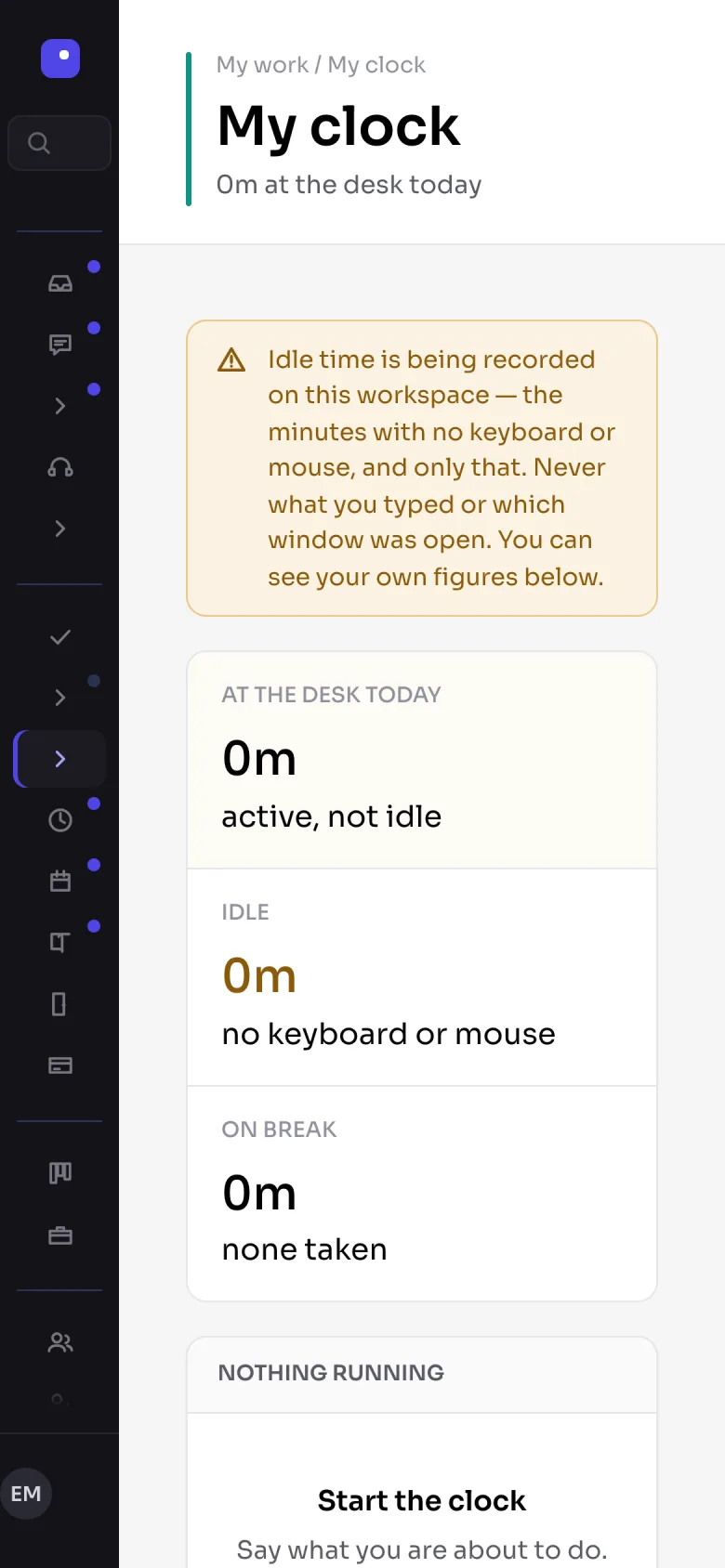
Starting the clock, from wherever the work is
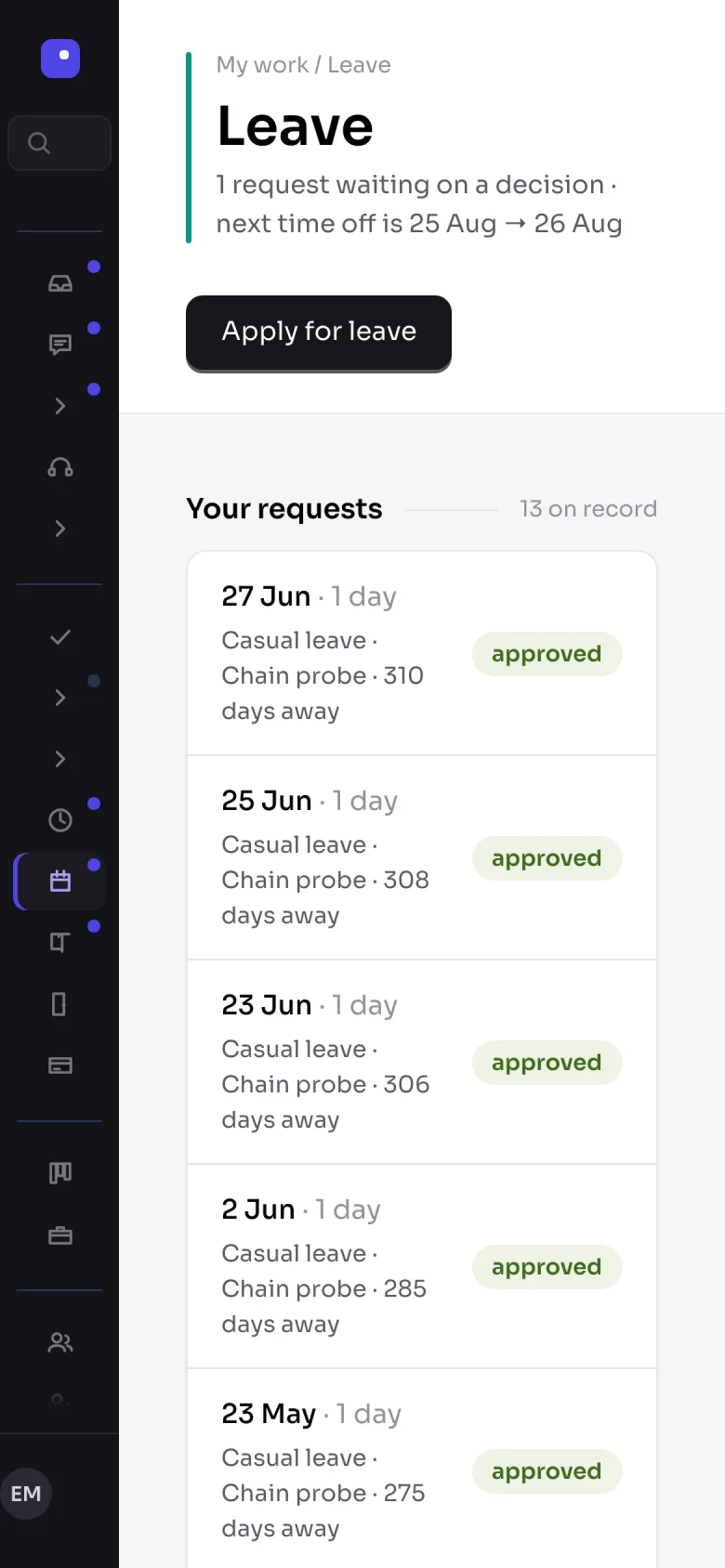
Applying for leave without opening a laptop
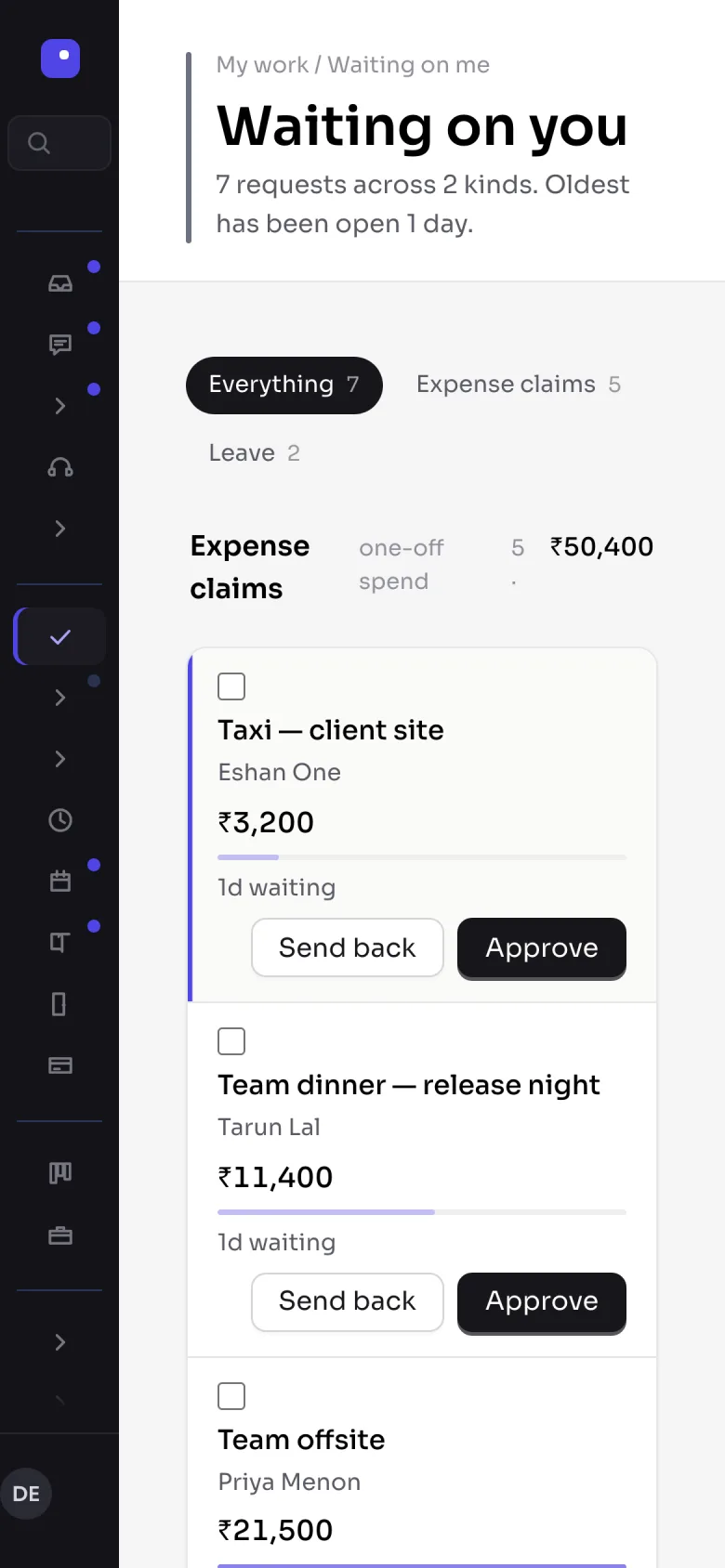
Approving somebody else's, between meetings
Write the rule once. Then it runs while nobody is watching.
Everything above is a screen somebody has to open. This is the part that works when nobody does — the overdue invoice that chases itself, the budget that raises its own hand.
- 1
It watches one thing
A single module event — an invoice passing its due date, hours crossing a budget, a contract nearing renewal, leave being approved.
- 2
It checks your conditions
Any number of them, or none. Over an amount, only on billable projects, only for people on live work this week.
- 3
It tells the right people
By email, SMS, webhook or in-app — and it knows who the right people are, because it reads the same org chart everything else does.
- 4
And it writes down what it did
Every firing is logged, so a rule that fires when it should not is findable rather than mysterious.
Gated on the same verb that governs who may grant access — whoever decides who sees what also decides who is told what.
Four rules, as the engine expresses them
Your clients are free. So are your vendors and candidates.
They get a real login that reaches their own records and nothing else, and none of them ever counts towards what you pay. Which customer they are is decided when they sign in, not by anything they can type.
Charging for them would only teach companies to email PDFs instead — which takes the work back out of the system that is supposed to hold it.
Billed
40 employees
₹199 each on Growth
Free, and unlimited
Clients · vendors · candidates
₹0, however many
A seat is somebody who works here. Disabled accounts stop counting too.
Nobody moves a company in a weekend. Here is the order that actually works.
Nobody moves a whole company in a weekend, and anyone who tells you otherwise has not done it. Here is the order that works, and what each step actually costs you.
You do not have to stop anything
Keep Tally, keep the spreadsheets, keep whatever works. Modules are separate — take one at a time.
Nothing is charged while you try it
Create a workspace, put a real team in it, run a month. Decide after that.
Your data leaves as easily as it arrives
Export is on every plan and it is a normal button, not a support request.
- 1
Day one
Your company exists
Twenty-six job roles, the leave types, and every permission are already set up when the workspace is created. Nothing to configure before people can use it.
- 2
Week one
One team, added by hand
There is no spreadsheet import yet — people are added one at a time. That sounds like a limit and mostly is, but it is also why we suggest starting with one department rather than the whole company.
- 3
Week two
Attendance and leave running
People clock on, apply for leave, and the balances are already there. This is the part that pays for itself first, because it stops being a spreadsheet immediately.
- 4
Month one
The first salary run
The hours are already in it. Open the month, check it, send it for approval. Run it alongside your existing process the first time if you want to compare.
- 5
When you are ready
Projects, invoicing, the rest
Each module is separate, so nothing forces you to move everything at once. Keep Tally running until the books agree — most companies do for a cycle or two.
And when something breaks
You are running payroll on this. Here is what you get.
Email, [same working day]
[Pick a promise you can keep every time. One working day is easier to beat than four hours.]
A person, not a bot
[True today — there is no chatbot. Only worth saying while it stays true.]
Setting up is included
[Decide: free on every plan, or only above a tier?]
[Phone, on Professional and up]
[Only if somebody will answer it. A number nobody picks up is worse than no number.]
Whatever goes here has to match the enquiry form, which already promises a reply “within one working day” — or the first reply breaks the first promise.
And security is on every plan, including the smallest
How it is protected →Your data is kept apart
separated by the database itself, not by software remembering to
A record nobody can edit
who did what can be added to and read, never changed or deleted
We cannot look in
unless you switch it on — read-only, 60 minutes, in your own record
You can take it all out
downloading your data is a normal button on every plan
You are weighing this against something. Probably spreadsheets.
Every row below is checked against what the software actually does — including the one where it loses.
| What you are weighing up | Corepilott | [Rival A] | [Rival B] |
|---|---|---|---|
| Clients, vendors and candidates | Free, unlimited — never counted as seats | [ ] | [ ] |
| Delivery and project profitability | Included, with delivered-but-unbilled in rupees | [ ] | [ ] |
| GST invoicing and the ledger | Included from Growth | [ ] | [ ] |
| Statutory payroll with stored approvals | Included from Growth | [ ] | [ ] |
| CRM, pre-sales and bids | Growth / Professional | [ ] | [ ] |
| Change what any role can see | 26 roles × 16 modules, editable | [ ] | [ ] |
| Record of who did what | Every plan, and nobody can edit it | [ ] | [ ] |
| Works in a phone browser | Yes — no app to install | [ ] | [ ] |
| Data export | Every plan | [ ] | [ ] |
| Bulk import of your people | Not yet — added one at a time | [ ] | [ ] |
The rival columns are blank on purpose. Quote only what each vendor publishes themselves and date it, keep a row where they win, and keep the last row in — “no bulk import” costs far less than being caught leaving it out. Send their current pages and I will fill it in.
An ERP is a ten-year decision. You should know who you are making it with.
We spent years running services businesses in the US, and every one of them ran on a stack of tools that never quite agreed — the same client entered five times, the same hour counted twice, the truth a week out of date. Corepilott is the one system we wished had existed: a single set of records the whole company works from.
- 2020
- started
- 50+
- people
- California
- based in
- 1,000+
- customers
One company, one set of books, one place the whole team looks — the same idea we sell, run the way we build it.
- photo
Michael Reed
Founder & CEO
Spent twelve years running delivery at a 300-person services firm in the Bay Area, and lost every quarter-end to reconciling tools that would not talk to each other.
- photo
Daniel Cole
Engineering
Built billing and data platforms at two US SaaS companies before this, where a wrong number in one system was a wrong invoice in another.
- photo
Sarah Bennett
Product & design
Designed operations software used by teams across North America, on the belief that the fastest screen is the one you never have to re-enter.
- photo
James Whitfield
Customer success
Led onboarding for enterprise accounts at a US HR-tech company, and has moved more teams off spreadsheets than he can count.
Find the step you are on. Your clients never count towards it.
Still running the company on spreadsheets
Starter
₹99 /user /mo
from 10 seats · sized to 30 people
Includes
- HR
- Attendance
- Projects
- Expenses
- Reporting
You have a sales team, you invoice clients, you run payroll
Growth
₹199 /user /mo
from 25 seats · sized to 100 people
Adds
- Payroll
- CRM
- Telecalling
- Support
- Finance
You bid for work, you buy, and you keep accounts alive
Professional
₹349 /user /mo
from 60 seats · sized to 300 people
Adds
- Pre-sales
- Customer success
- Marketing
- Procurement
- Facilities
Your security team has questions
Enterprise
Quoted
no ceiling · priced per customer
Adds
- SSO
- API
- Custom roles
- Audit export
- Data region
Prices exclude GST. Nothing is charged while you try it.
What people ask before they buy. Answered from the product, not around it.
Do clients and vendors use up paid seats?
No. Client, vendor, candidate and auditor accounts are free and unlimited — the seat count in the product excludes them, and a disabled account stops counting too. A seat is somebody who works at your company.
What happens if we have fewer people than the plan minimum?
You pay the minimum — a 12-person company on Growth is billed for 25 seats. That is what a minimum is, and the organisation screen says so rather than leaving it to the invoice to explain.
What if we outgrow a plan?
The product tells you. A module outside your plan answers with a billing response carrying the upgrade path — not a flat refusal — so an administrator goes to the invoice instead of hunting through the role matrix for a permission that was never the problem.
Is security only on the expensive plan?
Never. Who-can-see-what, keeping your data separate from every other company's, the record of who did what, encryption, backups and downloading your own data are on every plan including the smallest. Enterprise adds SSO, an API, custom roles, bulk audit export and a choice of data region — governance and scale, not withheld features.
Can your team see our data?
Only if you switch it on, and it is off by default. A reason is required and cannot be blank, the session is read-only, it expires after 60 minutes, and it lands in your own audit trail as well as ours.
Does it handle GST and Indian payroll properly?
That is what it was built for. Financial-year invoice numbering, tax rates and place of supply, statutory payroll with a stored approval chain, and the four Indian leave types seeded on the day a workspace is created.
Do we have to move everything at once?
No. Most companies start with HR, attendance and projects, then add payroll and finance when those matter. Each module is entitled separately, so the ones you have not bought simply are not there.
Can we get our data out?
Yes, on every plan. Export is a first-class permissioned verb rather than a support request, and every run of it is recorded.
No logo wall, and no star rating. We are early, and we would rather say so than invent a quote. Judge it on the product instead — the demo company is open, and the security model is written out in enough detail for your engineer to pick holes in.
Something not here? Ask us directly →